Sign-In
Live demo account
Try the corporate dashboard before you buy a single seat
Most demos are a slideshow. This one is the real product: sign in to a working corporate account preloaded with ten employees, courses in progress, and certifications in every state — current, expiring, and lapsed. Click anything. You cannot break it.
No sign-up, no card, no sales call. The account resets itself every night.
Sign-in details
Shared account — everyone exploring the demo uses the same one.
- 1Everything resets overnight. Enroll people, change settings, download certificates — tomorrow it is back to a clean ten-employee account.
- 2Use made-up addresses ending in
@demo.cprtoday.comwhen the demo asks for an employee email — for examplejane.doe@demo.cprtoday.com. Real addresses are declined on purpose. - 3The demo never sends email. Anything that would normally be emailed is shown on screen instead, so no stray messages reach you or your staff.
What you can actually do in there
These are screenshots of the demo account itself — the same screens you would use to run training for your own team.
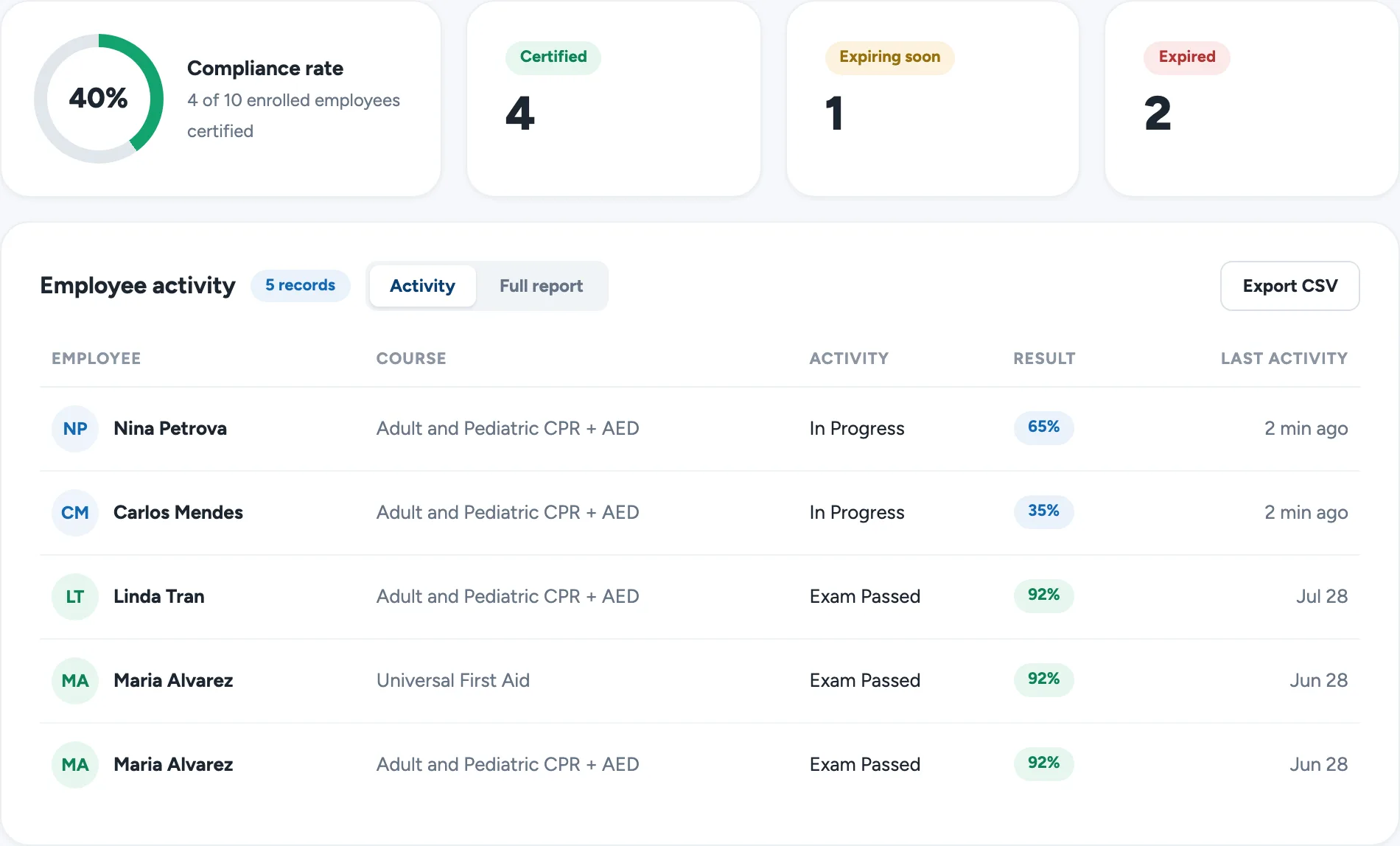
See who is certified, who is lapsing, and who has not started
The compliance overview is the answer to the question most administrators actually have: am I covered? The seeded staff deliberately span every state, including one employee expiring in about three weeks, so you can see how the warnings surface before they become a problem.
Filter the full report by course or status, and export it to CSV for HR.
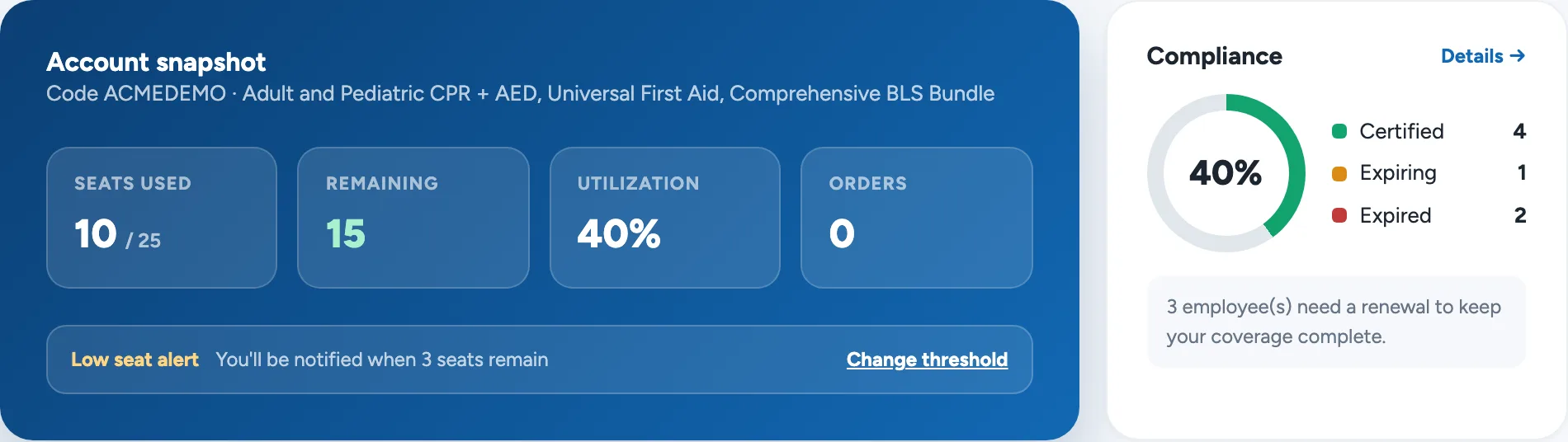
Track seats the way you would track any other budget
Seats bought, seats used, seats left — plus a low-seat alert you set yourself. Unused seats can be reclaimed when someone leaves, so nothing is stranded on a departed employee.
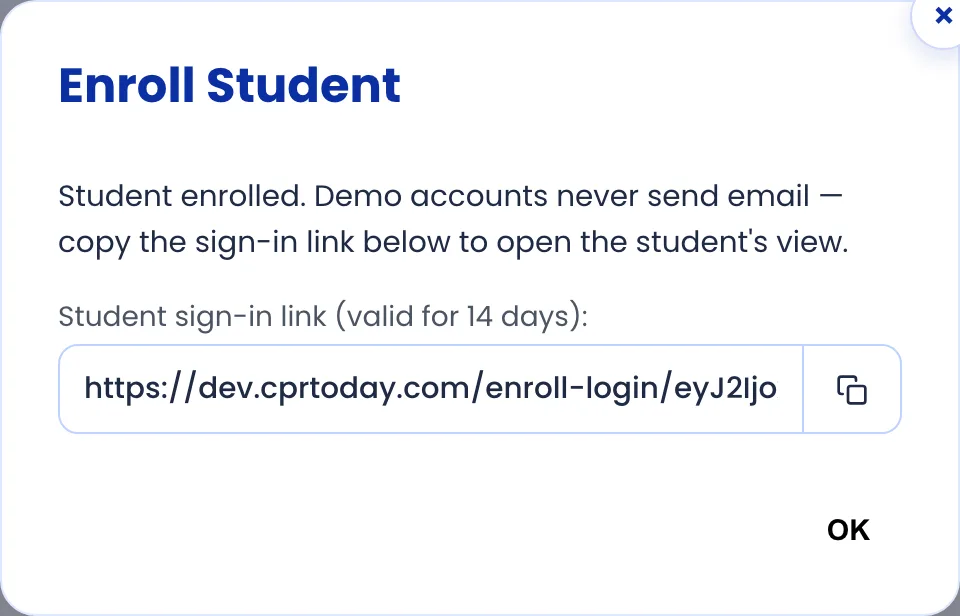
Enroll someone in about ten seconds
Type a name and email and the seat is assigned immediately — no signup form for the employee to complete. Normally they receive a sign-in link by email; in the demo that link is handed to you on screen instead, so you can open it yourself and see exactly what your staff would see.
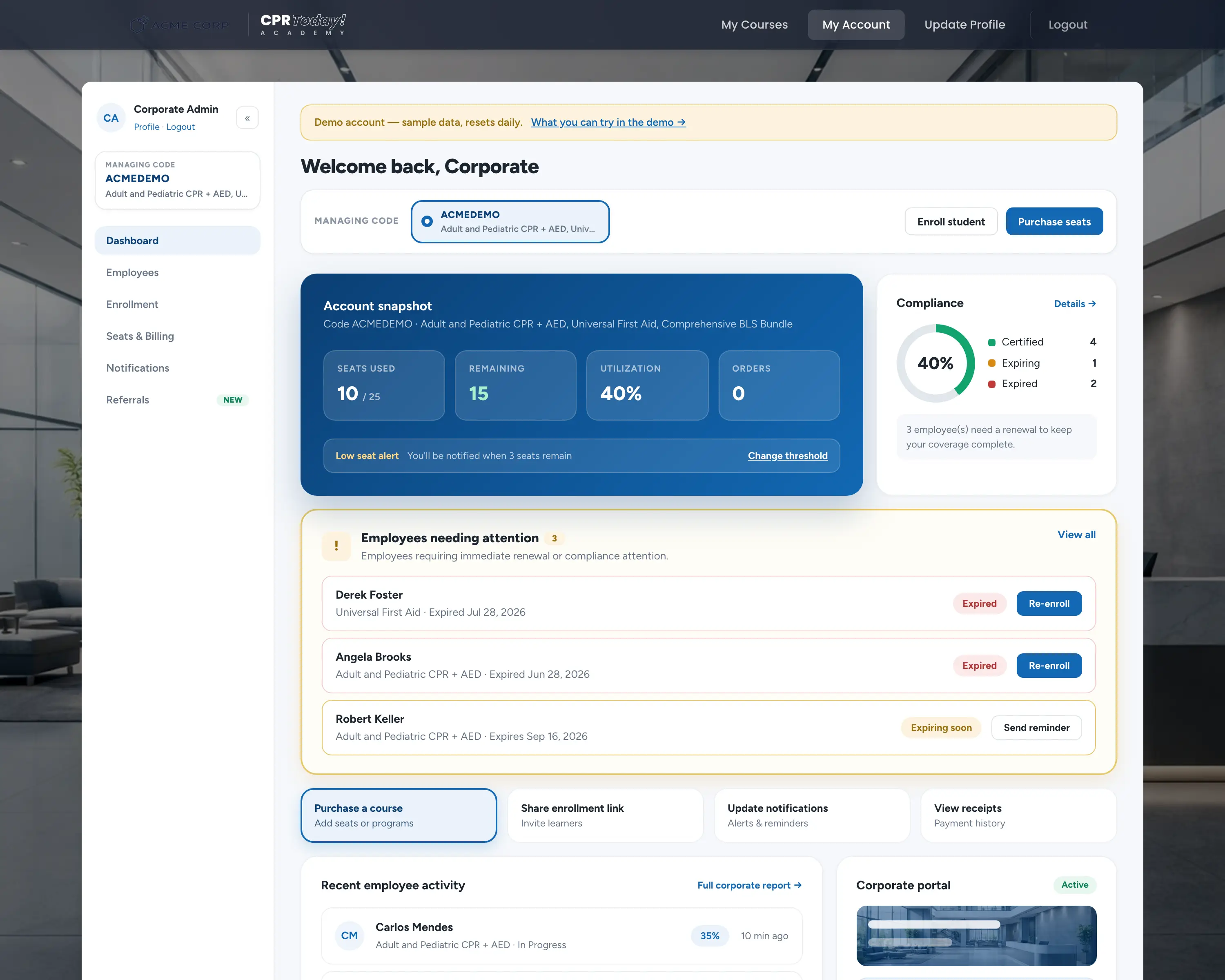
Give your team a page that looks like yours
Every corporate account gets its own portal with your logo, colours, and wording — the page you send staff to instead of explaining the process one email at a time. The demo's portal is live at cprtoday.com/example; open it in another tab to see the employee's starting point.
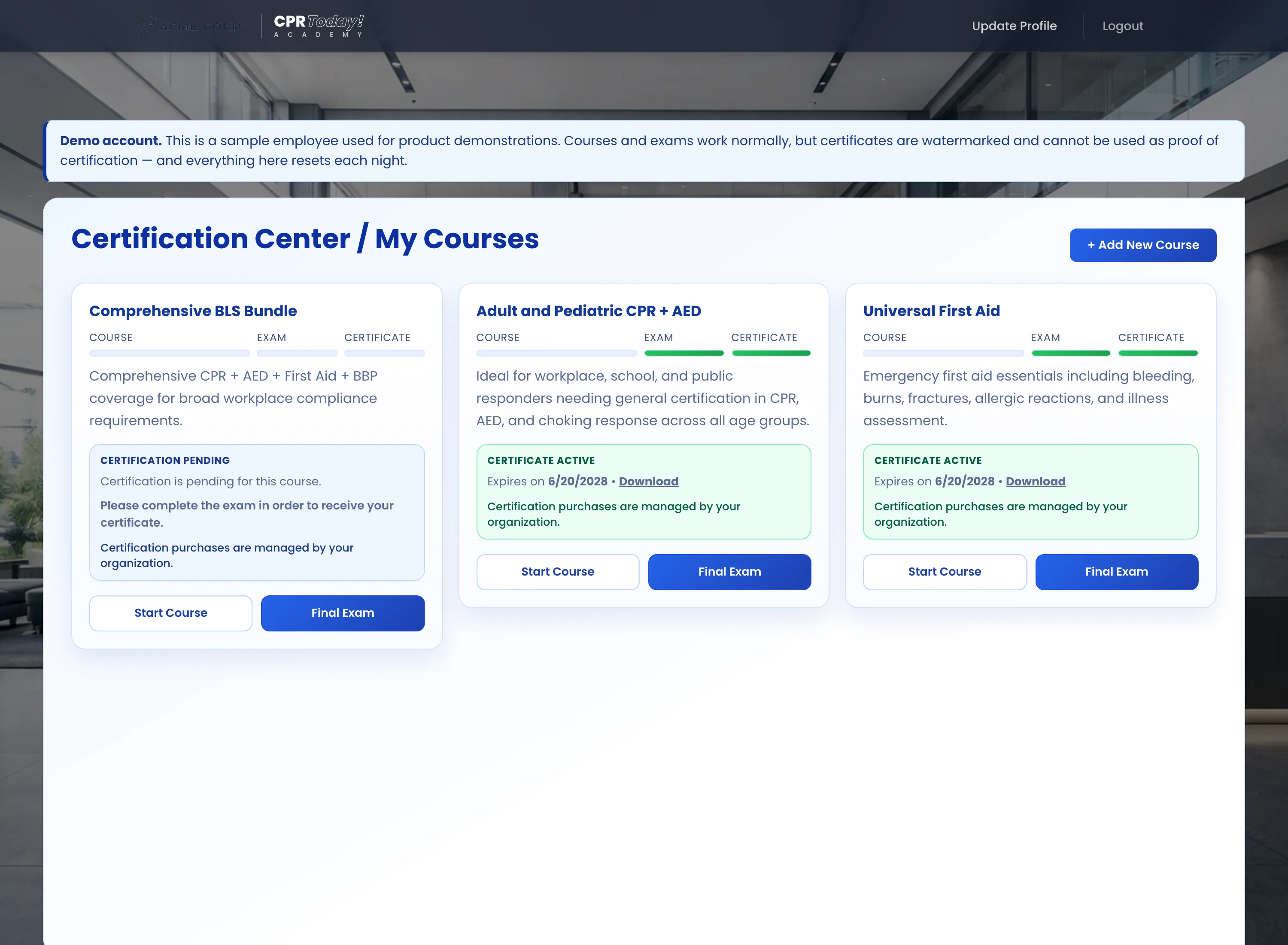
Walk through it as one of your employees
Sign in as any of the ten staff with the same password to take a course, sit the exam, and download a certificate and wallet card. Demo certificates are watermarked and carry a placeholder number, so a sample can never be mistaken for a real credential.
What is switched off, and why
A handful of actions are blocked so the shared account stays usable for the next person. Everything else behaves exactly like a paid account.
× Not available in the demo
- ×Buying seats, courses, or paying for an employee's certificationNothing in the demo can charge a card.
- ×Changing the username, email, or passwordThe sign-in details have to keep working for everyone else.
- ×Editing the portal branding or adding administrators
- ×Sending email of any kindReminders, invitations, and instructions are all held back.
✓ Fully working
- ✓Compliance reporting, filters, and CSV export
- ✓Enrolling staff and reclaiming unused seats
- ✓Courses, exams, certificates, and wallet cards
- ✓Reminder templates, notifications, and the branded portal
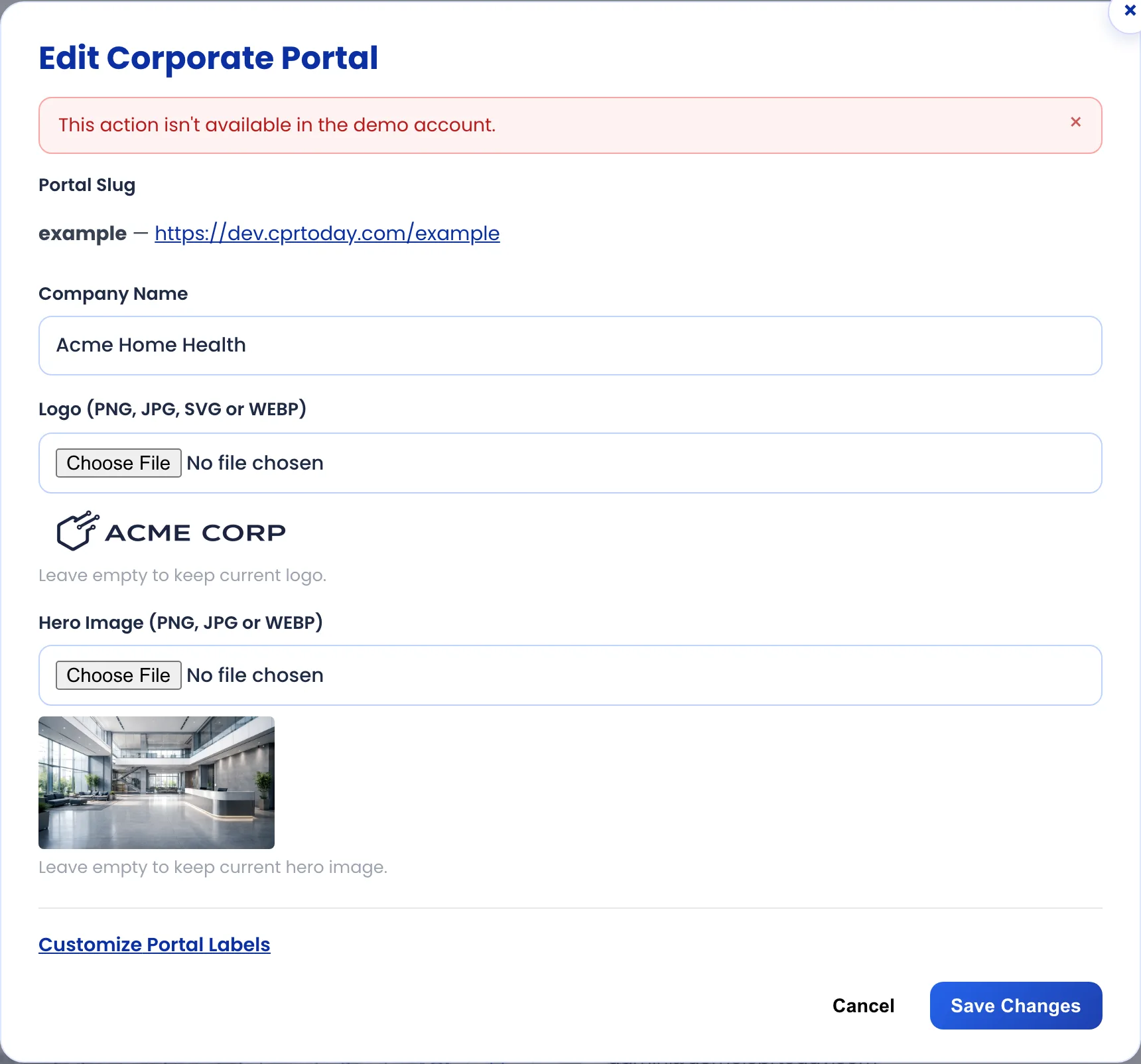
You will always know why something stopped
Blocked actions are not hidden — you can open the screen, see the real settings, and get a plain explanation when you try to save. Nothing fails silently, and nothing pretends to work.
Ready to set this up for your own team?
A real account looks exactly like the demo, with your staff, your branding, and your certificates. Seats start at any quantity and drop in price as the group grows.